Dictate
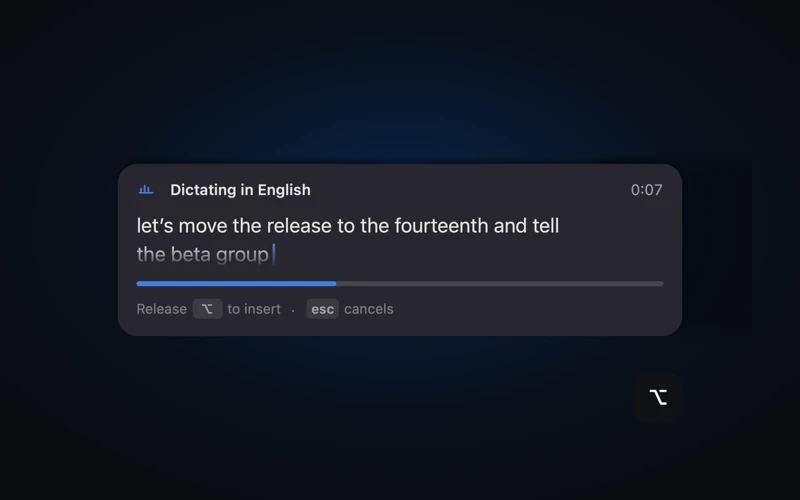
Hold a key, speak, let go. Everything happens on this Mac.
Dictation and translation that work offline. Meetings that structure themselves, and an agent that answers from them.
Dictation that works offline.
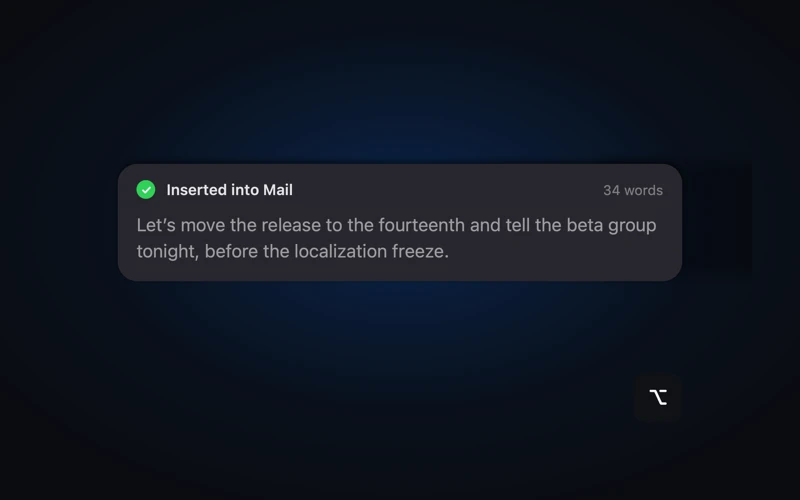
Hold a key, speak: your words are typed at your cursor in any app. Whisper large-v3-turbo on the Neural Engine: 100 languages, live text while you're still speaking. A word is typed only once two consecutive decodes agree on it.
Translation that works offline.
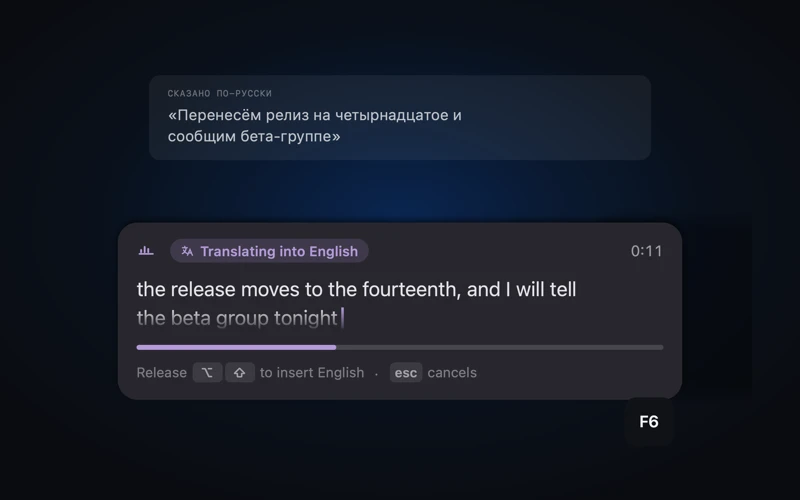
Speak your own language while holding the second key. It comes out in English, translated on this Mac by Apple's on-device translation.
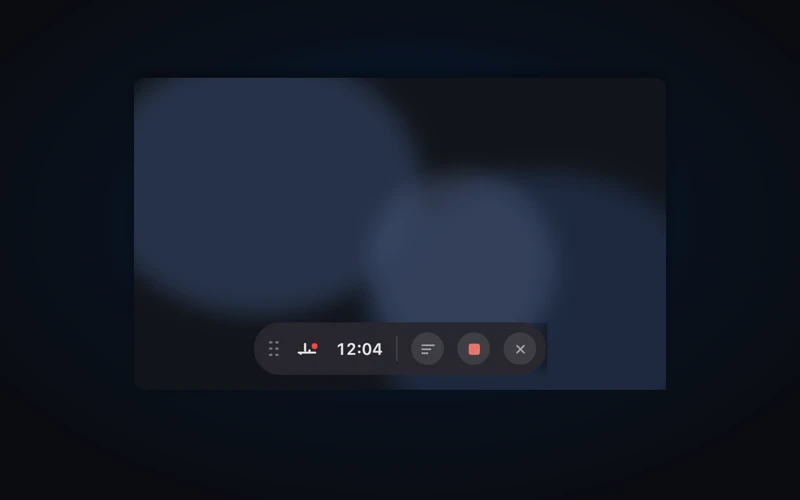
Meetings, recorded and structured.
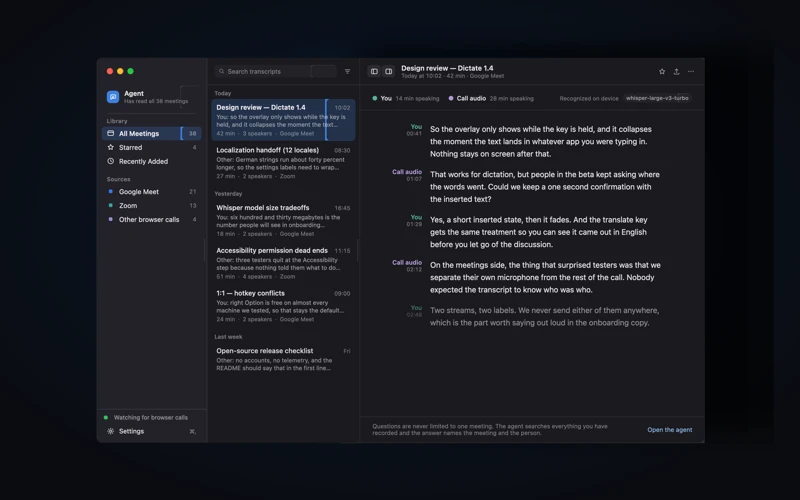
When a call starts — Zoom, Teams, Meet — Dictate offers to record it: one click, never automatic. Speakers told apart by voice, a title and summary by a local model, a clickable outline, search across every word. Both sides of the call come through macOS's native system-audio tap (no virtual audio drivers to install). Plain Markdown on your disk.
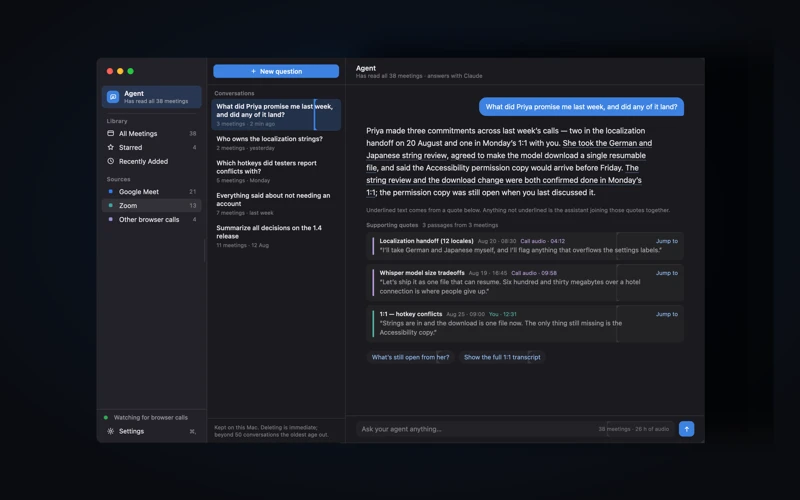
An agent that knows your meetings.
Connect Claude or ChatGPT with your own API key and ask across everything you've recorded. Answers quote the moments they came from. Off by default: the only feature that sends your content off this Mac. Your audio never leaves; what goes to the provider you choose is transcript excerpts.
Privacy
Recognition never touches the network. Don't take that on faith —
turn Wi-Fi off, Dictate keeps working.
Open source, so you can read the code.
The microphone listens only while a dictation you started is running, never in the background. Accessibility does exactly two things: hears your dictation key and types the recognized text. Dictate doesn't read your screen and doesn't log your typing.
Launch and Dictate walks you through the rest: a one-time model download, picking your key, and two macOS permissions. Every build is notarized by Apple, and updates arrive signed, via Sparkle. 25 releases in eight weeks; 387 tests. (Why not the Mac App Store? Sandboxing forbids the system-wide key listening and text insertion Dictate is built on. The same reason Raycast and Rectangle ship directly.)
Built by Valentyn Budanov, the CTO running production voice AI for 200+ businesses. Dictate is the same engineering, small enough to read.
Dictate is free: no accounts, no "Pro" tier. There are no servers to pay for. Other good open dictation apps exist (Handy, VoiceInk, FluidVoice); Dictate's angle is native Swift, offline translation, and the searchable meeting archive.